Barbers
Quick tap-and-pay for a busy chair. Add-ons on top of a cut, kids' prices on the days you offer them, and takings and tips for each barber.
Everything your business needs, working together in one simple platform. Meet ShopSide.
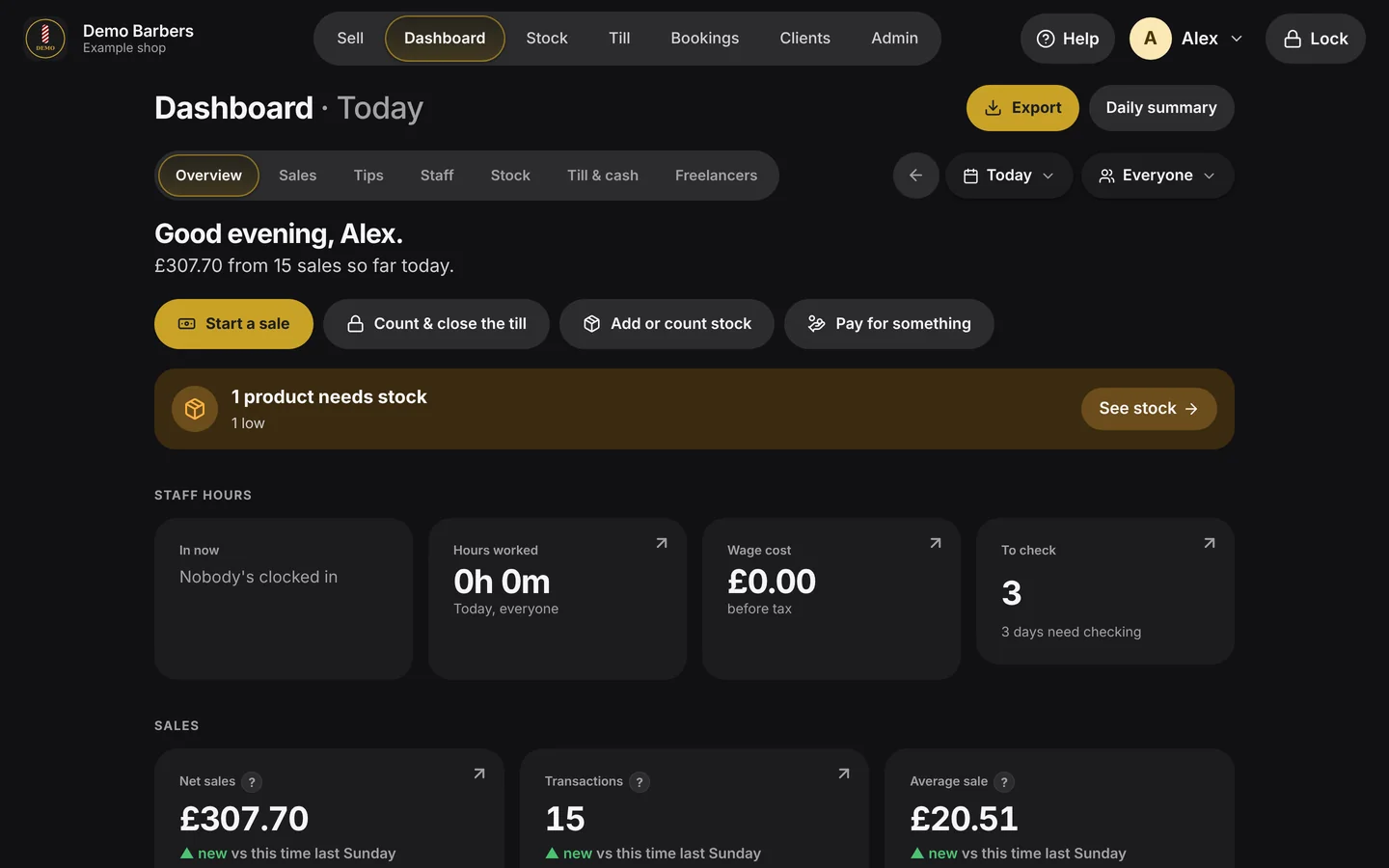
This is the till itself, as it runs in a shop. Not a mock-up.
01 · Dashboard
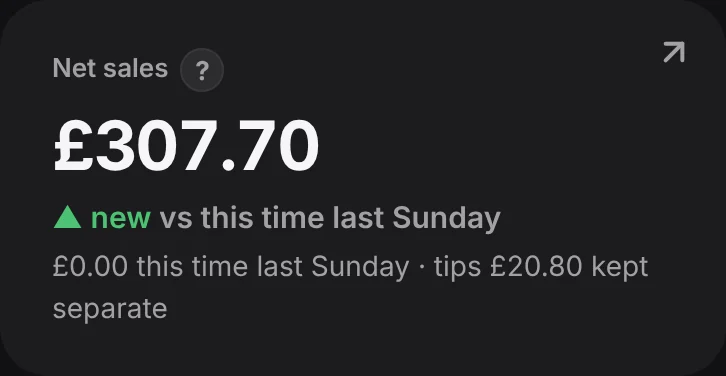
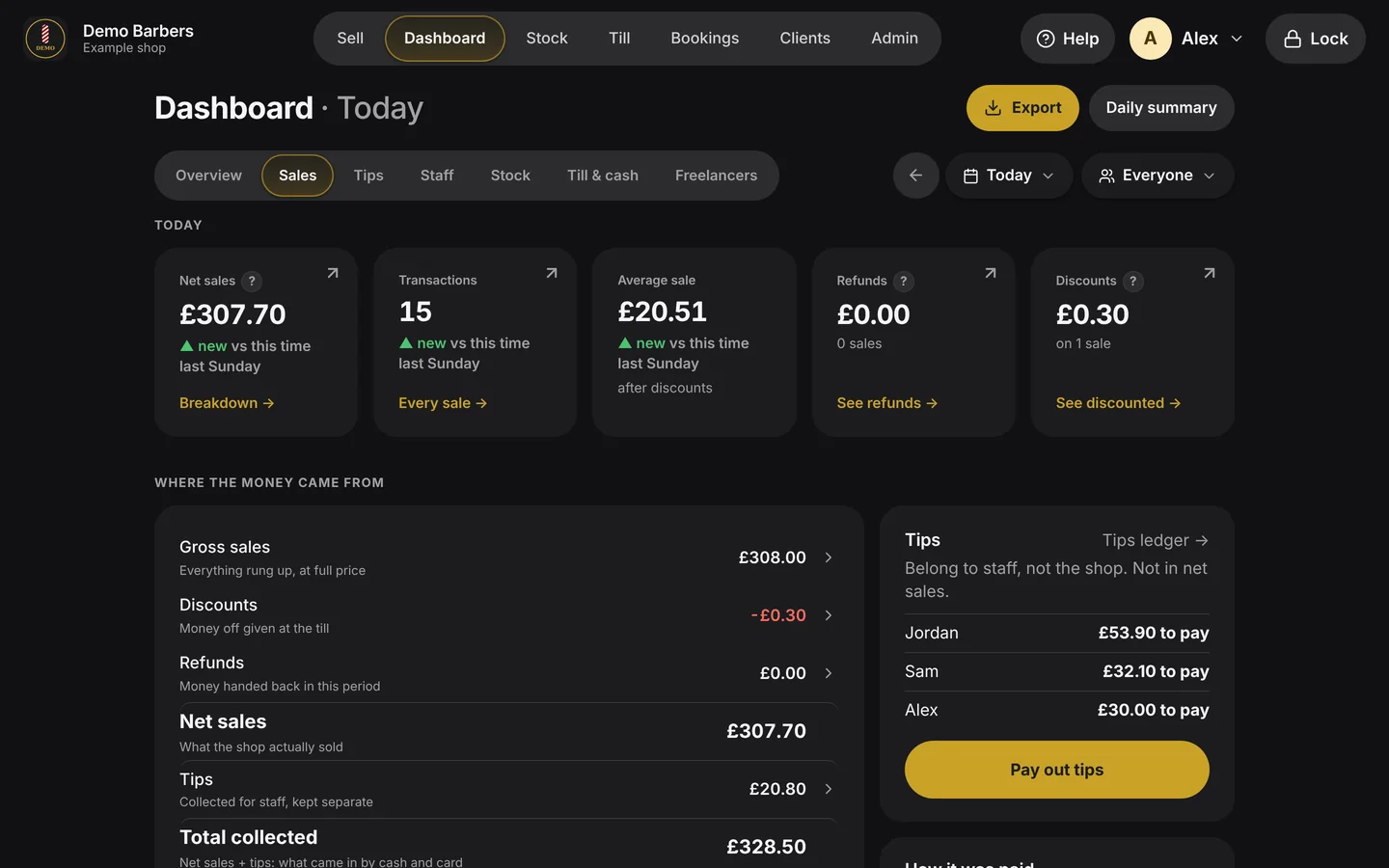
Takings, sales and the average sale, set against the same time last week. If something needs doing, like stock running low, it tells you.
02 · Sell
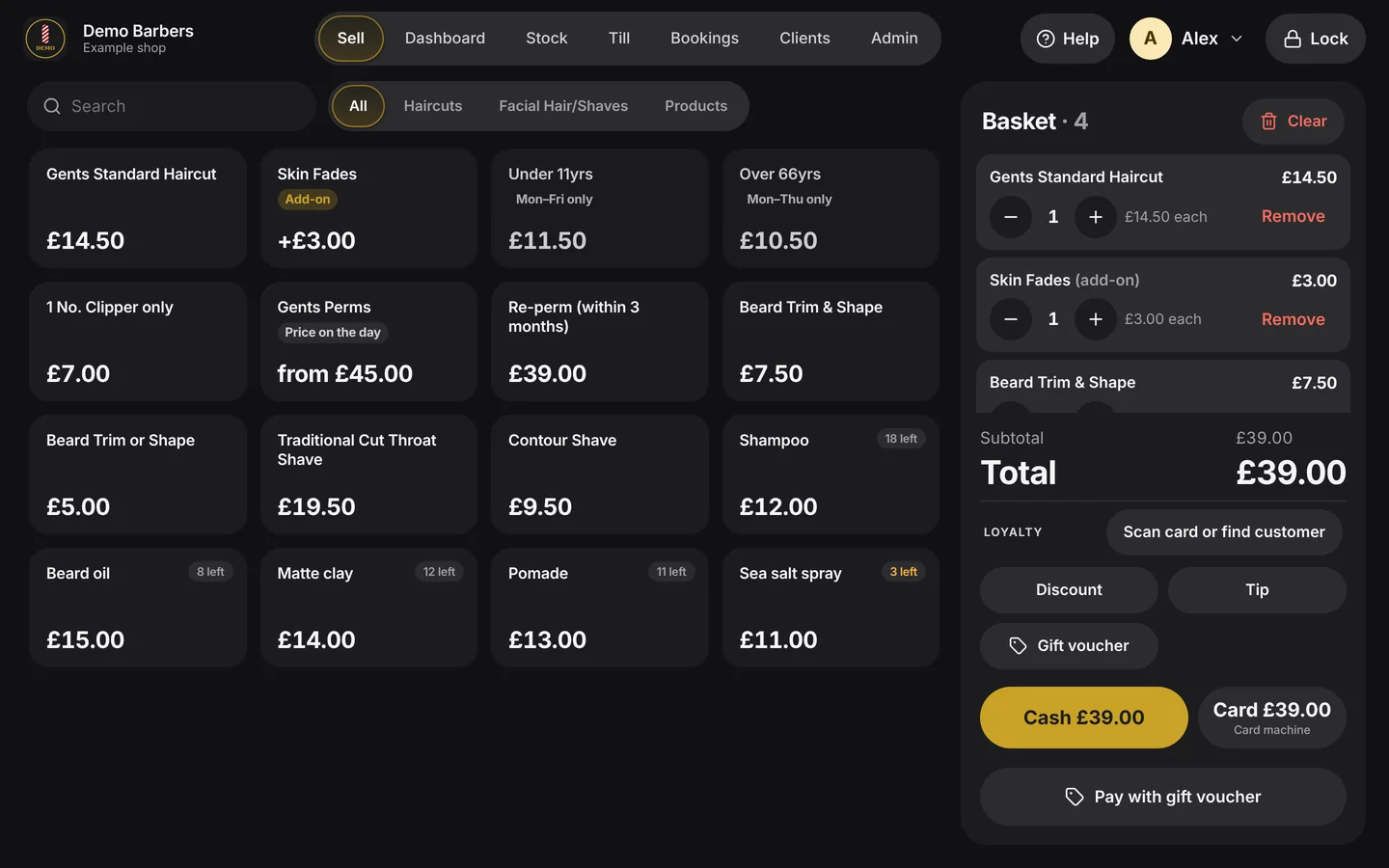
Services and products as big touch tiles, with the basket beside them. Add-ons, discounts and tips are built in.
03 · Taking payment
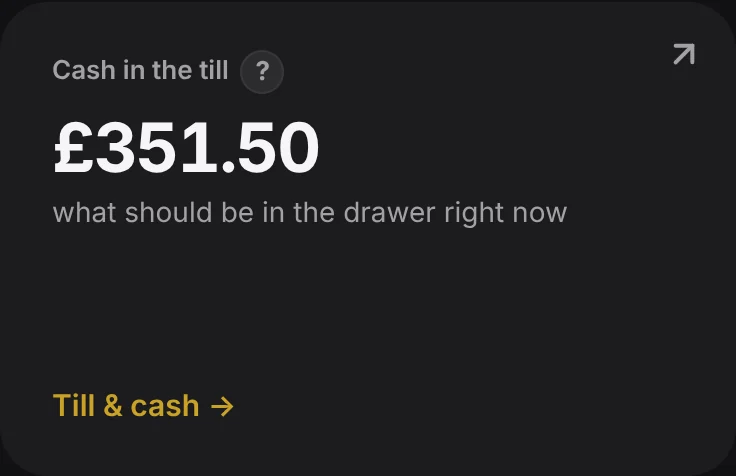
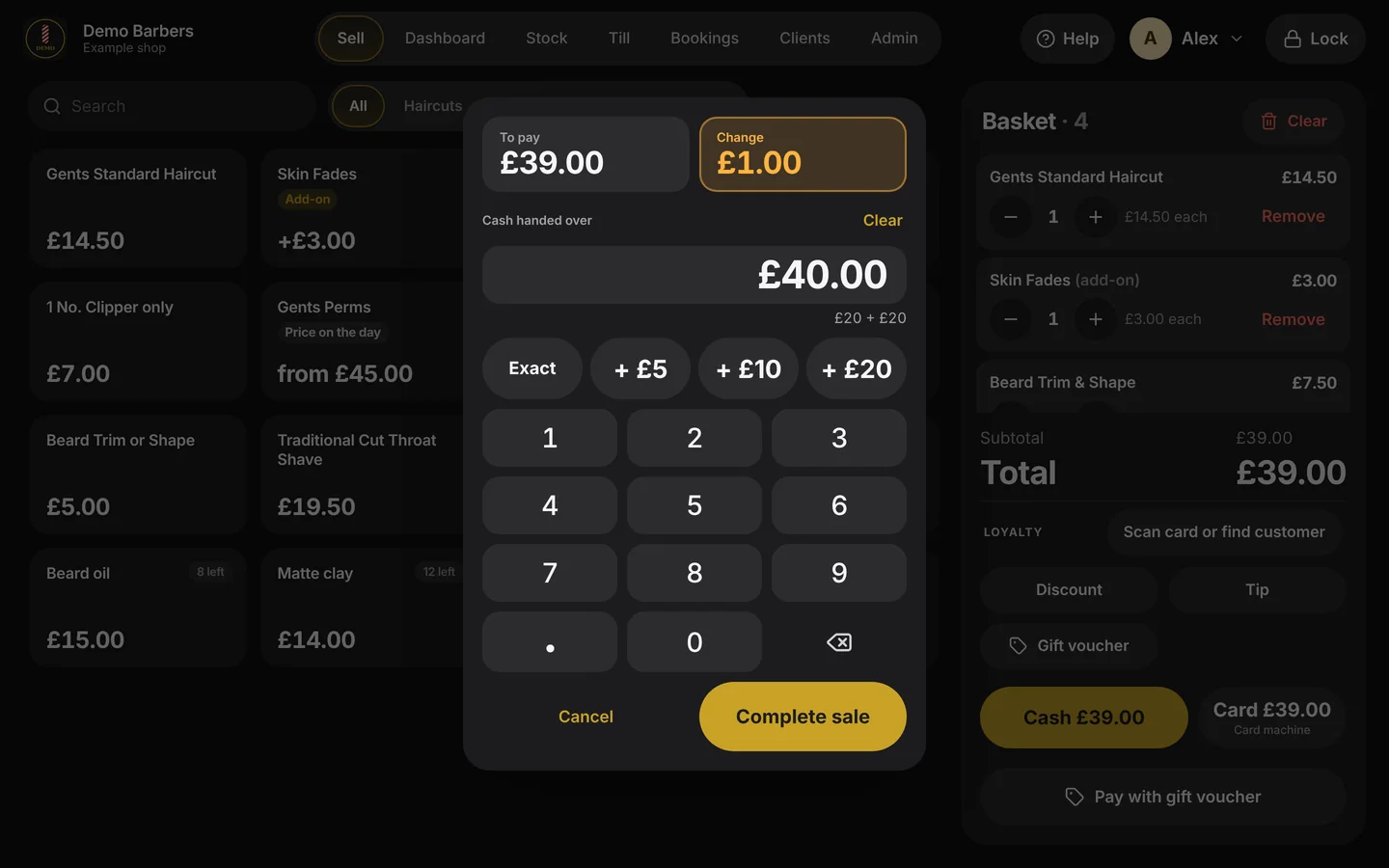
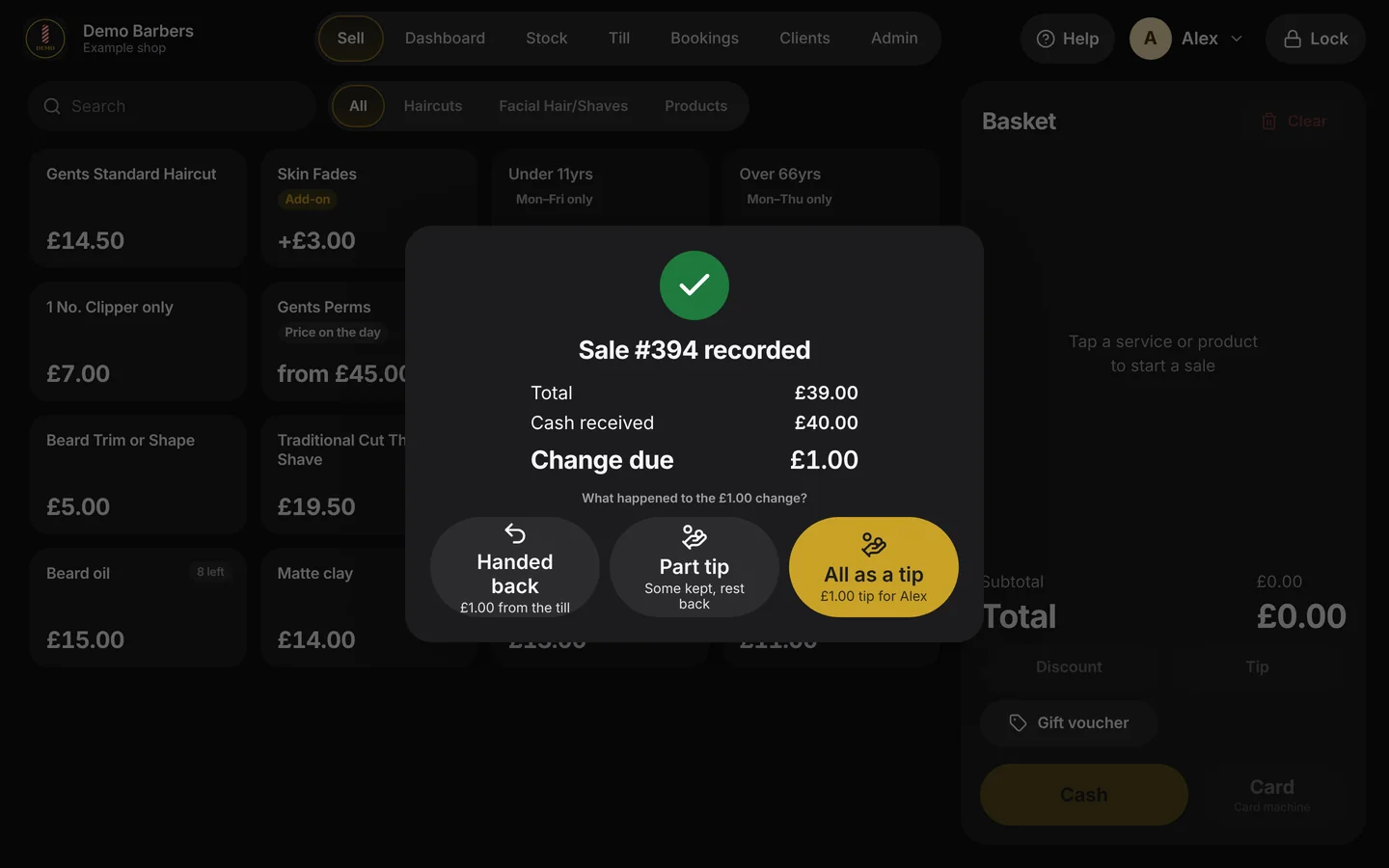
Tap the notes you were handed and the change is worked out for you. The customer can leave some of it as a tip. Card goes through your own card machine.
04 · Sales
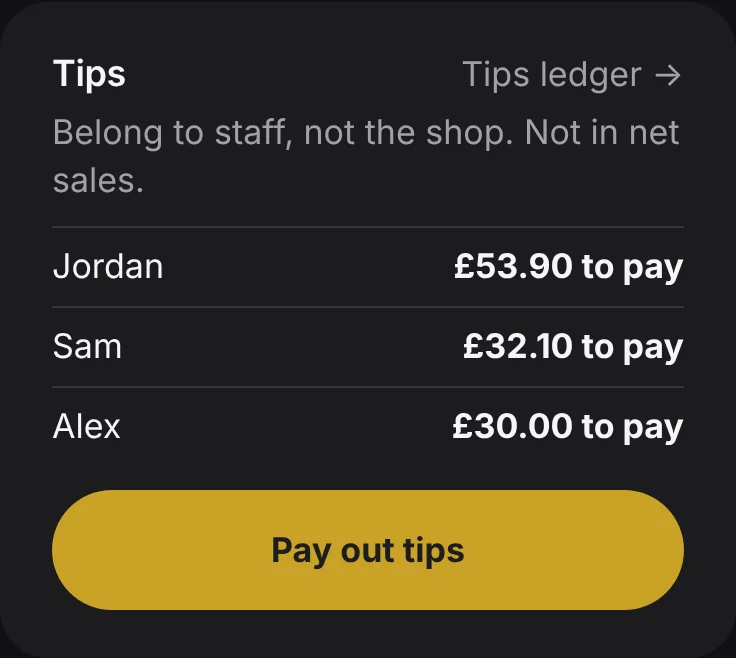
Gross, discounts, refunds and net, for any day and any person. Tips are kept apart, because they belong to your staff.
05 · Stock
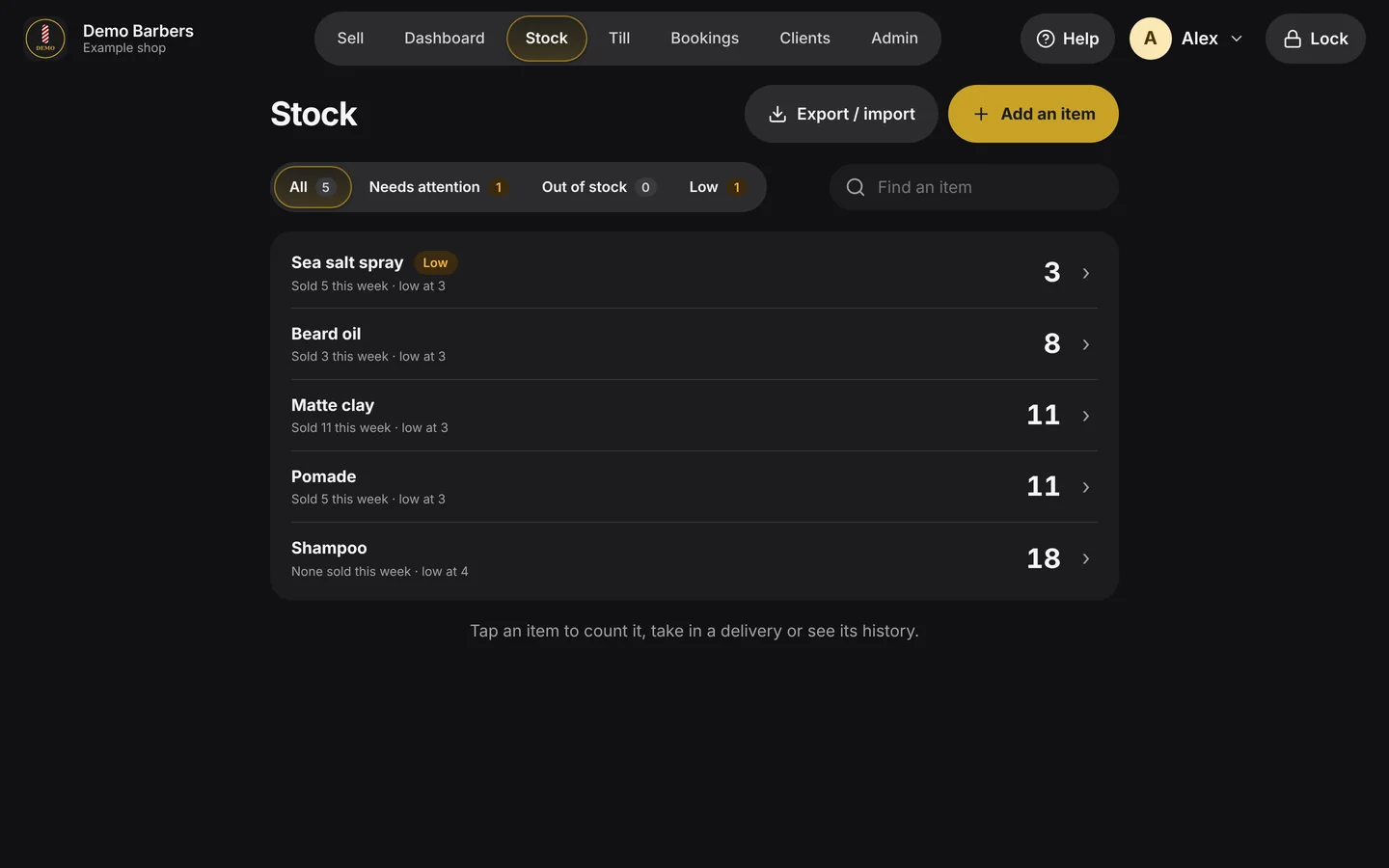
Each product drops as it sells, with a warning when it's low or gone. Deliveries, counts and a history for every item.
06 · Clients
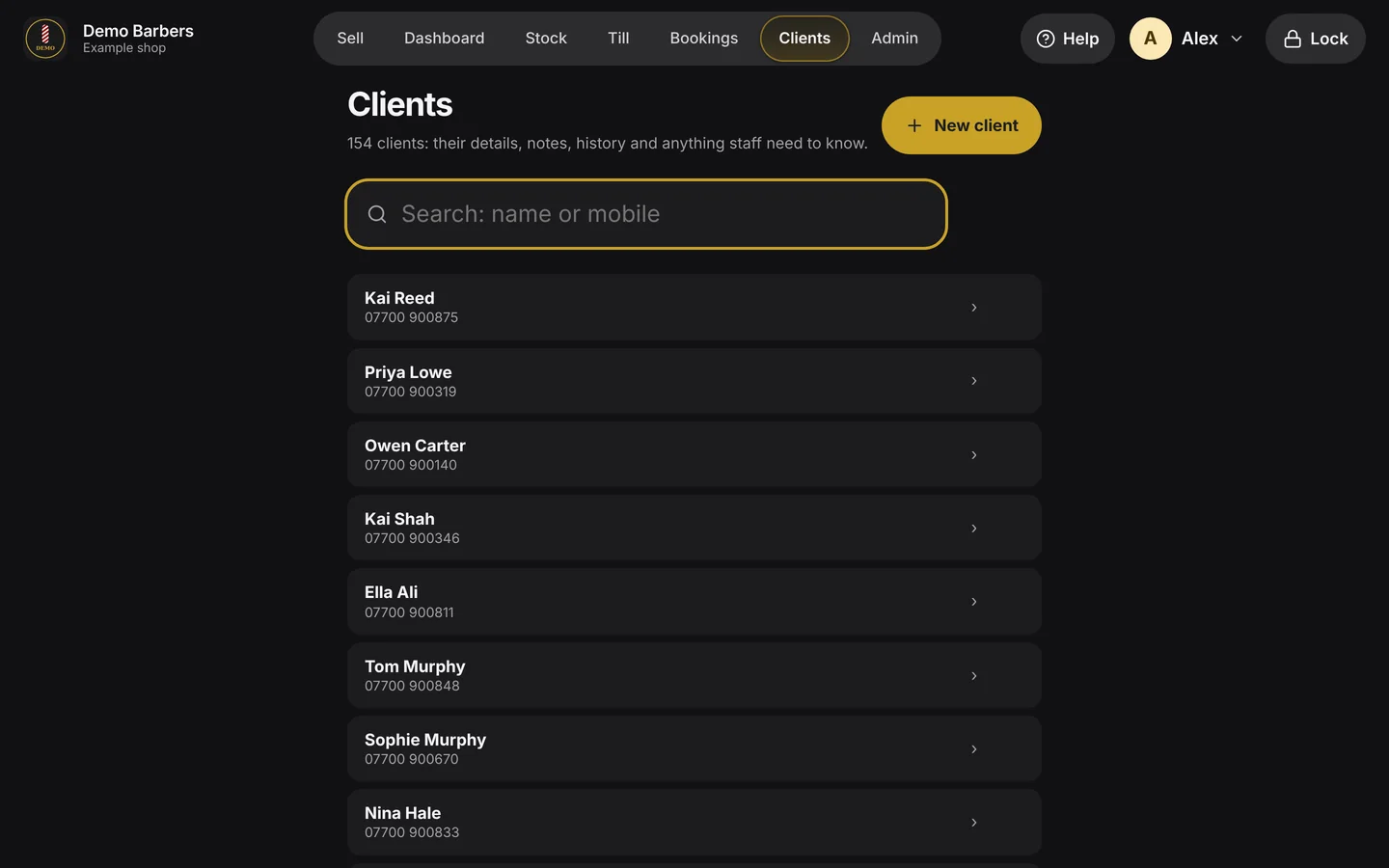
Details, notes and history for every client, kept in your shop. An add-on you switch on when you want it.
07 · Staff figures
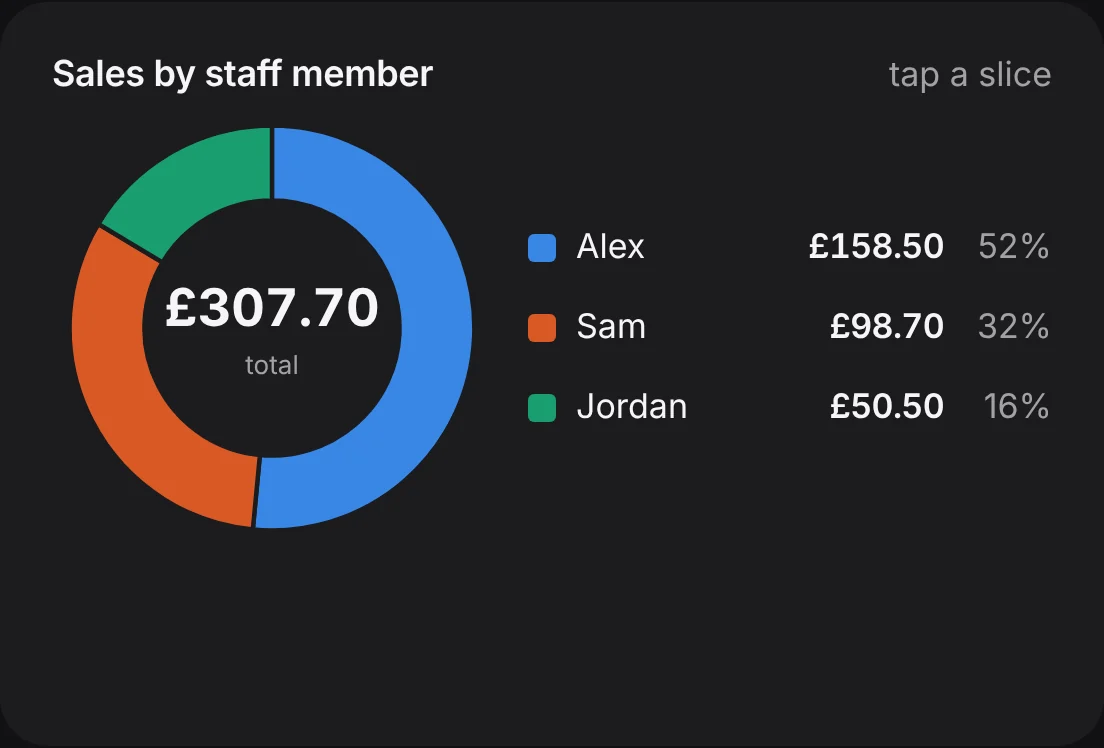
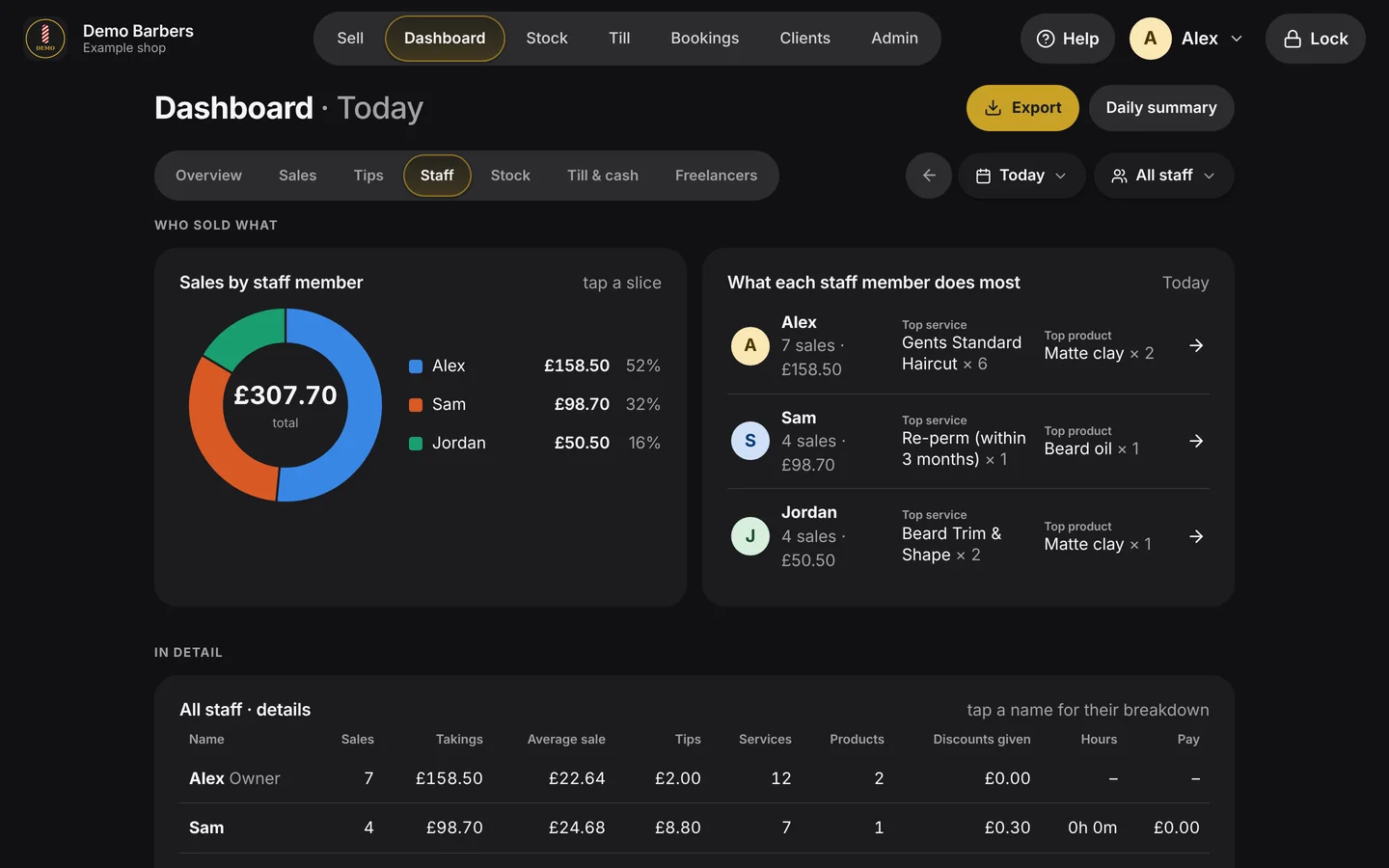
Takings, tips and the average sale for each person, and what each of them sells most.
One till. Your whole shop.
Who it's for
Every shop gets the same dependable core. We set it up around what you sell, and switch on extras only where they're needed.
Quick tap-and-pay for a busy chair. Add-ons on top of a cut, kids' prices on the days you offer them, and takings and tips for each barber.
Every service under the stylist who did it, prices set on the day, product sales and tips for each person, and figures you can trust at the end of the week.
Stock that counts itself down as it sells, low-stock warnings, deliveries and stock counts, with repairs and services on the same till.
A day at the counter
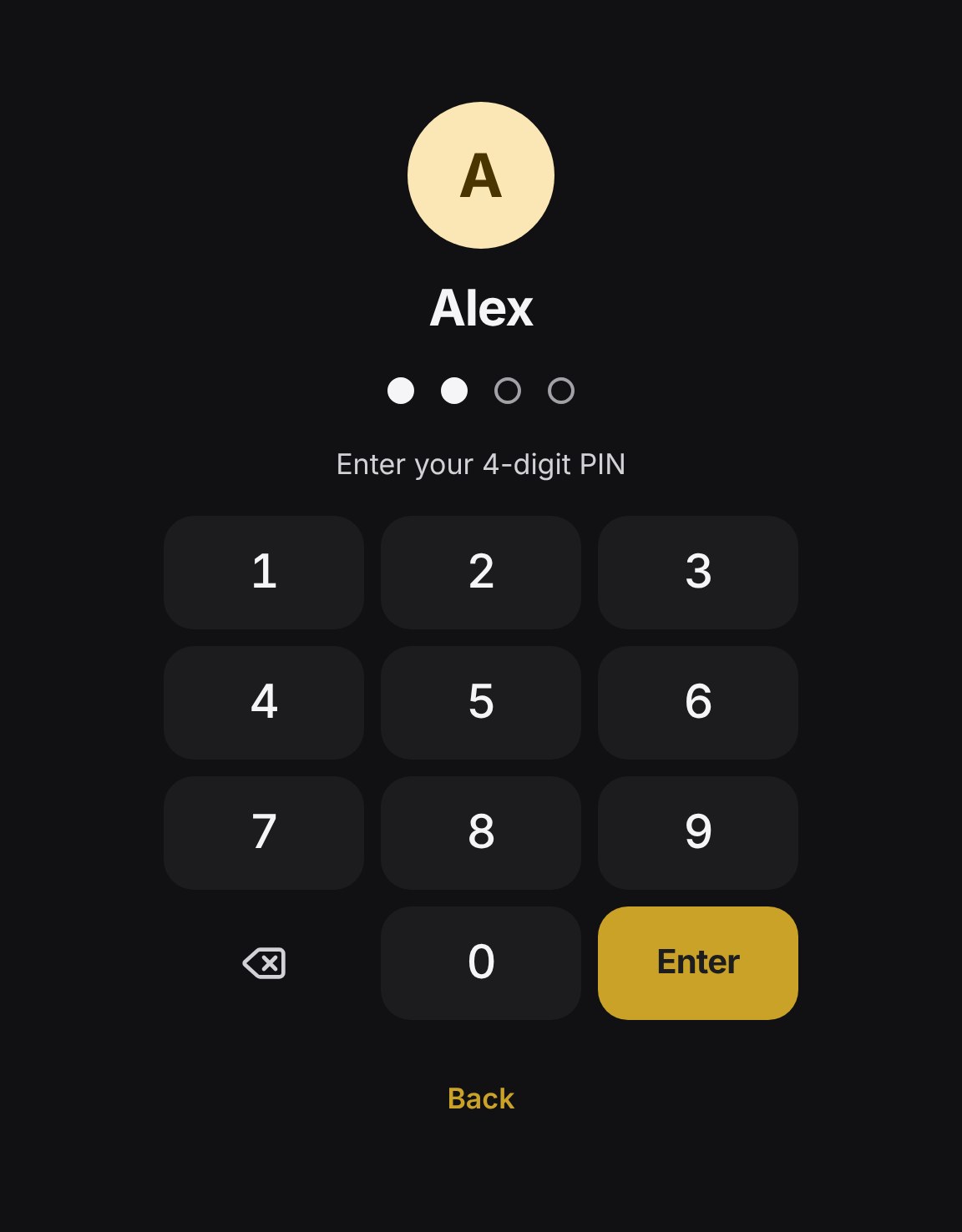
Tap a step to see the real screen.
For the owner
Built around your rules
These are the kinds of thing we set up on day one, taken from real price lists.
Extras that go on top of a service and are never sold on their own.
Kids' and over-66 prices that only show on the days you offer them.
Services where you type in the price at the till.
Staff count the drawer without seeing what it should be.
Staff sell and add stock. Prices, figures and the takings stay with you.
The float you leave overnight, checked next morning, and the takings recorded at each close.
How it runs
It runs on a Windows touchscreen PC at the counter. Use one you have, or we'll recommend one.
Everything runs in the shop. The internet is only used for updates and checking the licence.
A copy every day on the till, plus a second copy on a USB stick or other drive.
New features arrive as updates. You tap Install, and can go back if you need to.
What we do for you
You're not buying an app and being left to work it out. We put in your price list, staff and receipt details, show everyone how to use it, run it next to your current way for a trial, and look after it afterwards.
Want a new report, a new rule or a button moved? We change it.
Compared with the usual options
Most small shops use a card-reader app, a booking platform's till, or a cash tin and a notebook.
| ShopSide | Card-reader apps | Booking platform tills | Cash tin & notebook | |
|---|---|---|---|---|
| How you pay | Setup fee and support plan | A percentage of card payments | Monthly fee, payment fees, often commission on new clients | Free |
| Works without internet | Yes, fully | Limited | Limited | Yes |
| Cash handling | Change, tips from change, float, counts, takings | Basic | Basic | By hand |
| Set up with your rules | Yes, done for you | Do it yourself | Do it yourself | No |
| Your data | On your PC, with your backups | On their servers | On their servers | On paper |
| Support | A named person you can ring | Help centre | Help centre | None |
A general comparison. Features and fees of other products vary and change over time.
Add-ons
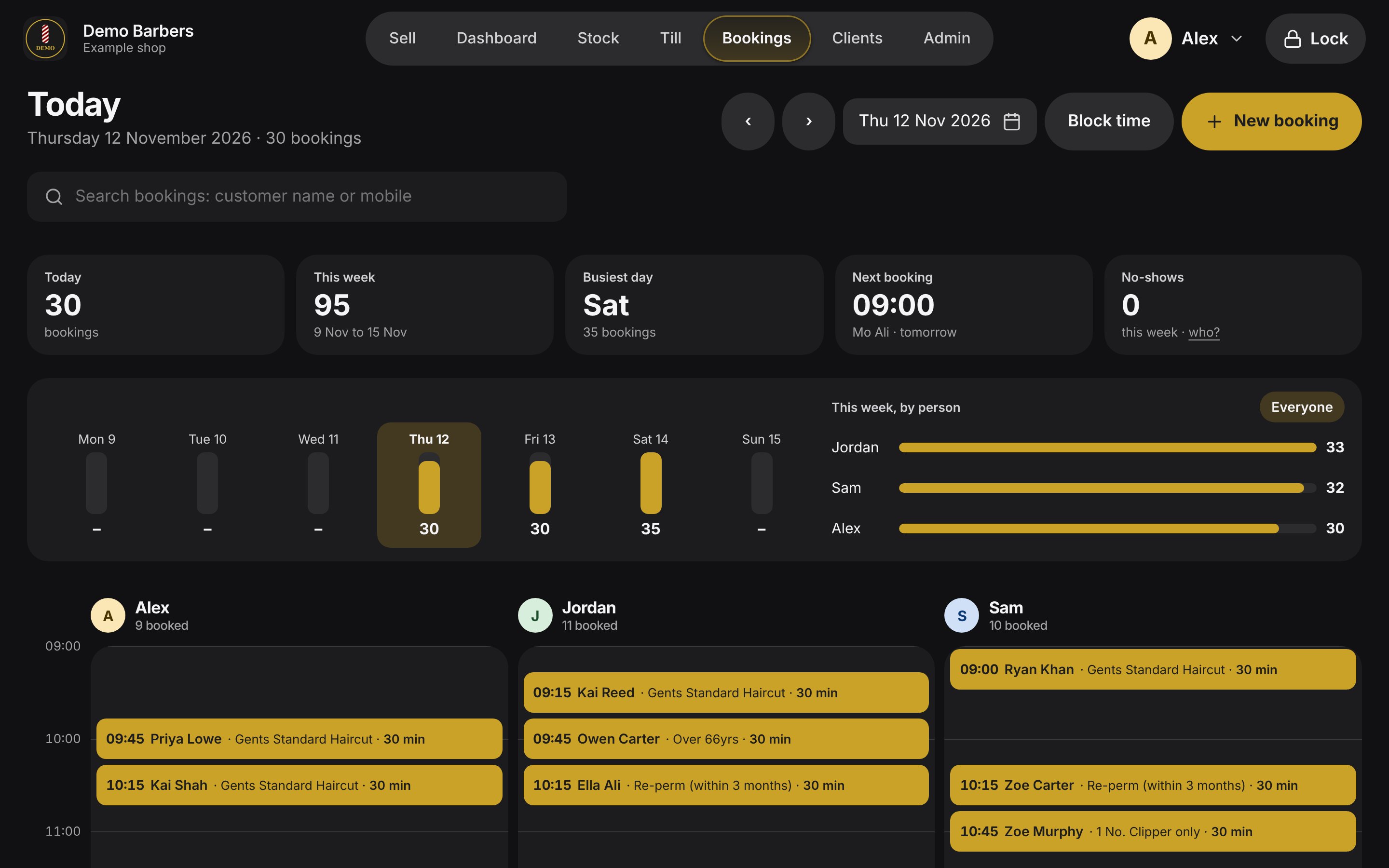
Appointments next to walk-ins, on the same till.
Notes that matter, like colour formulas, kept in the shop.
Stamp cards that show properly in your figures.
Chair rental for self-employed staff: rent owed, rent paid, their own takings.
Get started
The online demo is the actual system, running a made-up shop with a month of sales. Sell a haircut, take cash, close the till, look at the figures. It resets every night, so you can't break anything.
Owner: Alex, PIN 1234
Staff: Sam 1111 · Jordan 2222
I'll show you the till working in your shop, and set it up with your own price list for a trial.